
「Image button」の版間の差分
(ページの作成: image_button [イメージ ボタン] ; 構文 : image_button { action alignment allow_accept aspect_ratio color fixed_height fixed_width height is_enabled…) |
(相違点なし)
|
2010年7月11日 (日) 23:24時点における版
image_button [イメージ ボタン]
- 構文
: image_button {
action  alignment  allow_accept  aspect_ratio  color
fixed_height       fixed_width   height        is_enabled
is_tab_stop        keymnemonic   width
}
- タイルイメージ

- 機能
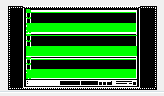
- イメージボタンタイルは、ラベルではなくグラフィックス イメージを表示するボタン。
- ユーザがイメージ ボタンを選択すると、プログラムは選択した点の座標を取得する。これは、小さな図を表示し選択した場所によって異なる意味を割り当てたいときに便利である。
- イメージボタンで利用するイメージは以下のようなものがある。詳細は別途。
- vector_image : 現在のイメージに、ベクトル(1 本の線分)を描く。
- fill_image : 現在のイメージに、塗り潰し矩形を描く。
- slide_image : イメージに、AutoCAD のスライドを表示する。
- イメージ ボタンには、width と height 属性を明示的に割り当てるか、これらのどちらかと aspect_ratio を割り当てる必要がある。
関連事項